I got my idea for my final project from a painting that I have hanging in my house. My roommate brought it at the beginning of the year, and every time I pass it I’ve been thinking about how I can make a version of it for myself.
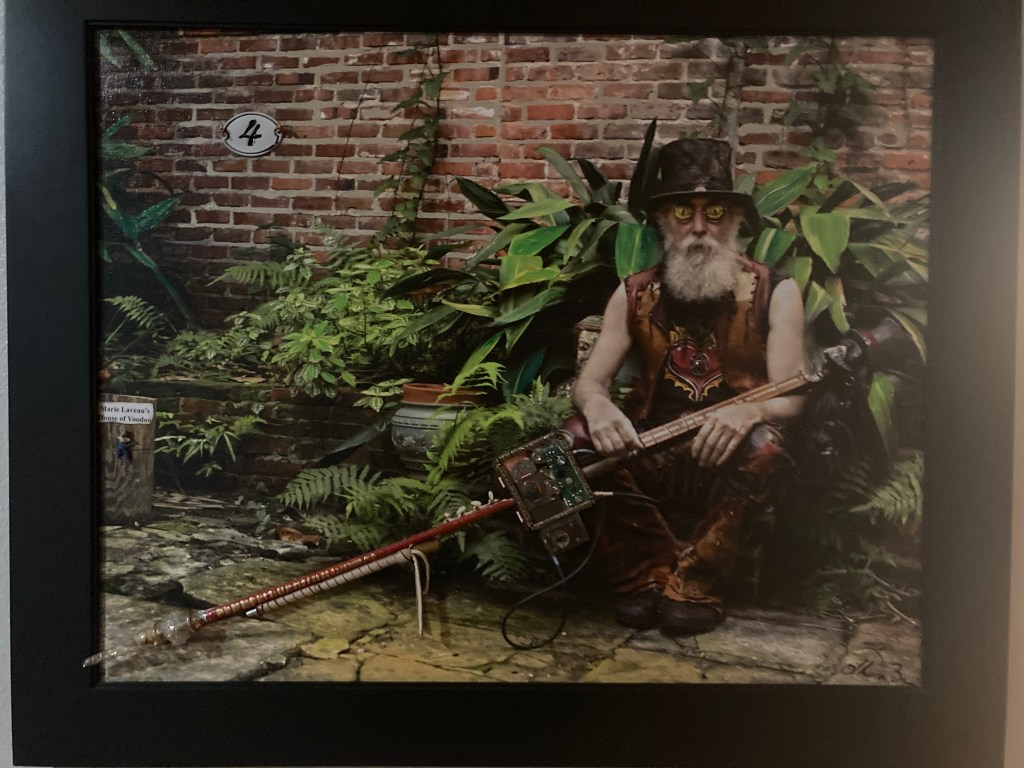
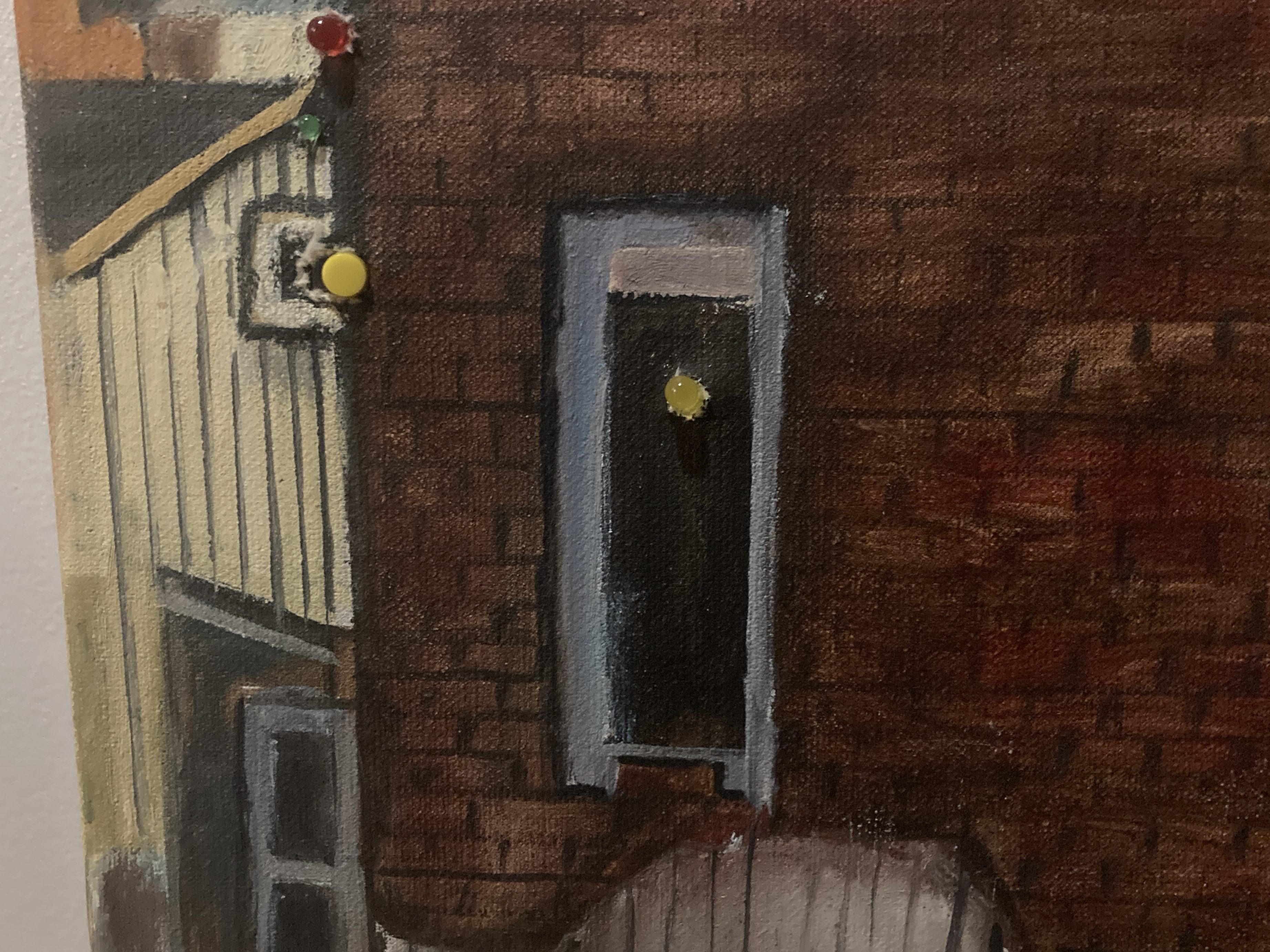
The painting has a lot of random parts built onto it, and I would always think “what if they actually did something?” So I decided to create an interactive painting of my own. I was also inspired by all the interactive galleries I have been to lately, where you can interact with art (Meow wolf, mainly, that place is so cool and trippy). I decided to thrift a painting and build onto that. In the end, I ended up with 3 different inputs and 3 different outputs. If I had more time, I would love to build off of what got done. Before I thrifted the painting, I wasn’t completely sure what I wanted to do but I did a lot of research on different interactive paintings that people have done, and as soon as I got the painting I applied some of the things that I found. For a lot of the connections, I poked holes through the actual painting and stuck the LED’s through, or a button/potentiometer through. Because it is around the holidays, I included some “christmas lights” and my speaker plays a christmas song. I know that I wanted to do LED’s for the lights, but I had the challenge of trying to figure out how to attach a lot of them to my circuit because I knew I couldn’t put them in series otherwise none of them would be getting power, so I found a way to connect them all in parallel (lots of solder).
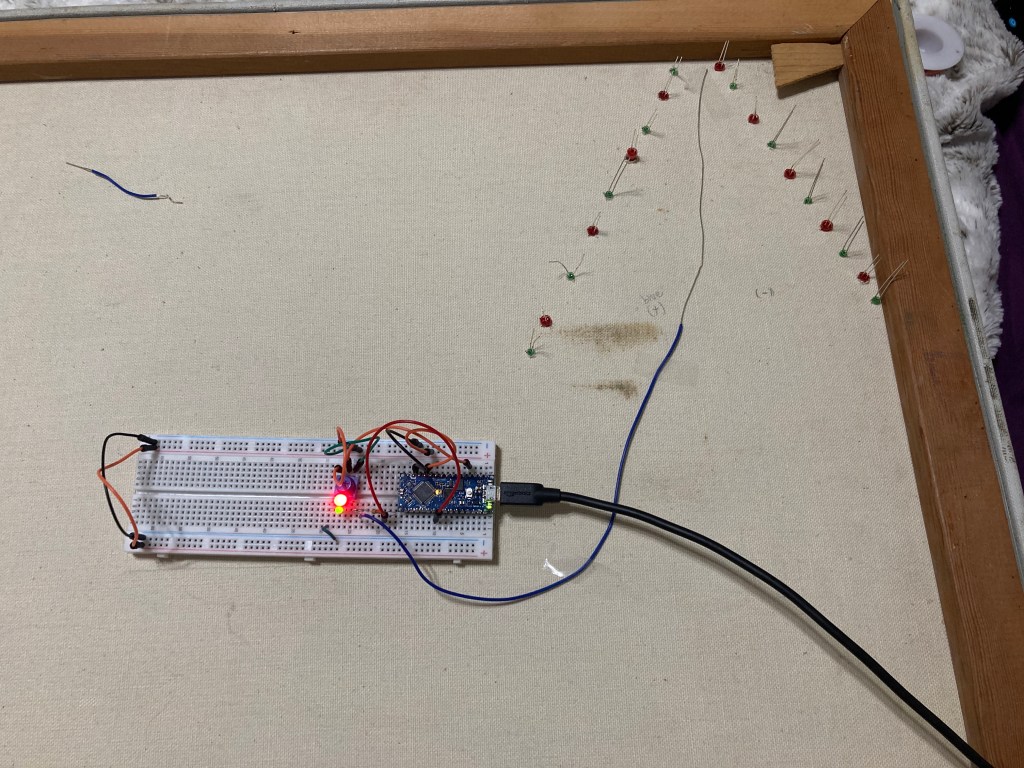
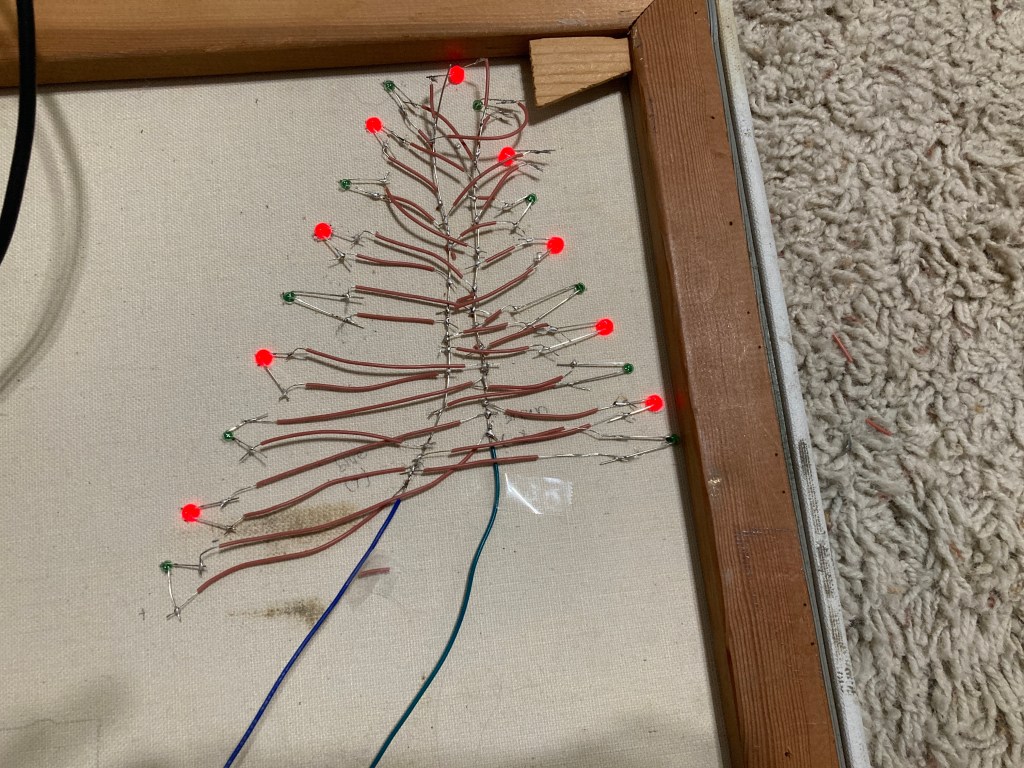
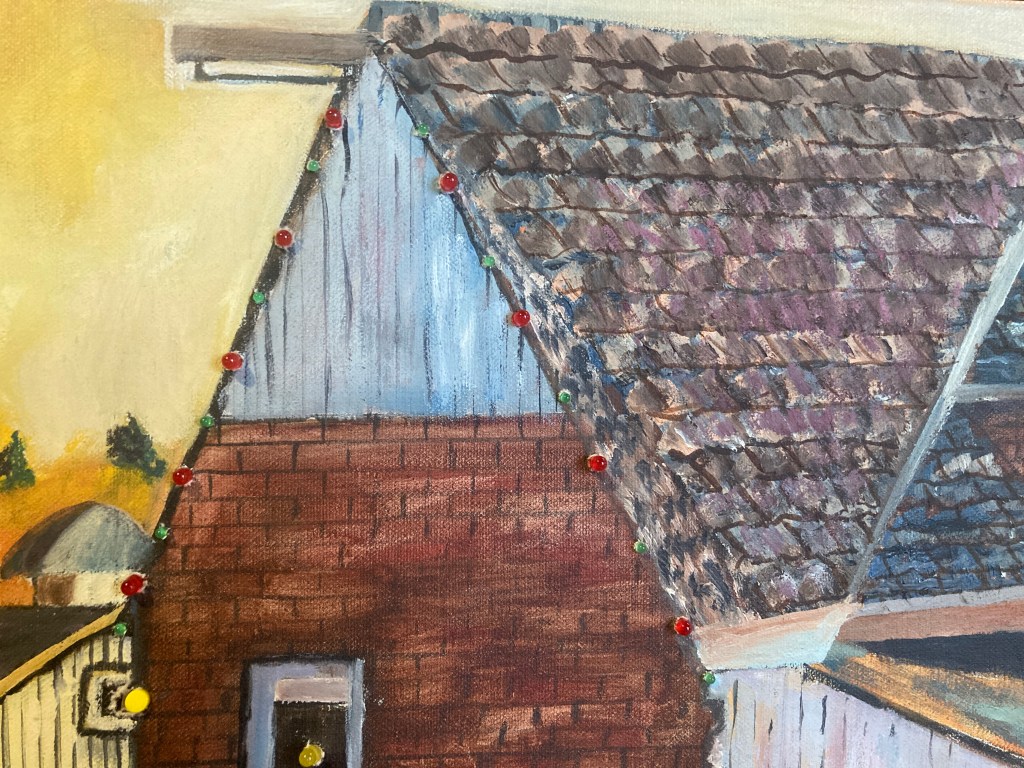
After getting these done and all working, I added a potentiometer input that made the LED’s turn on and off. This I attached to the top of the painting. I then wanted to add a light in the window, so I added another LED into the painting, then hooked that up to a push button that turns it on when the button is pressed down. Attached to the same button was a speaker that I programmed to play christmas music with the tone() function.
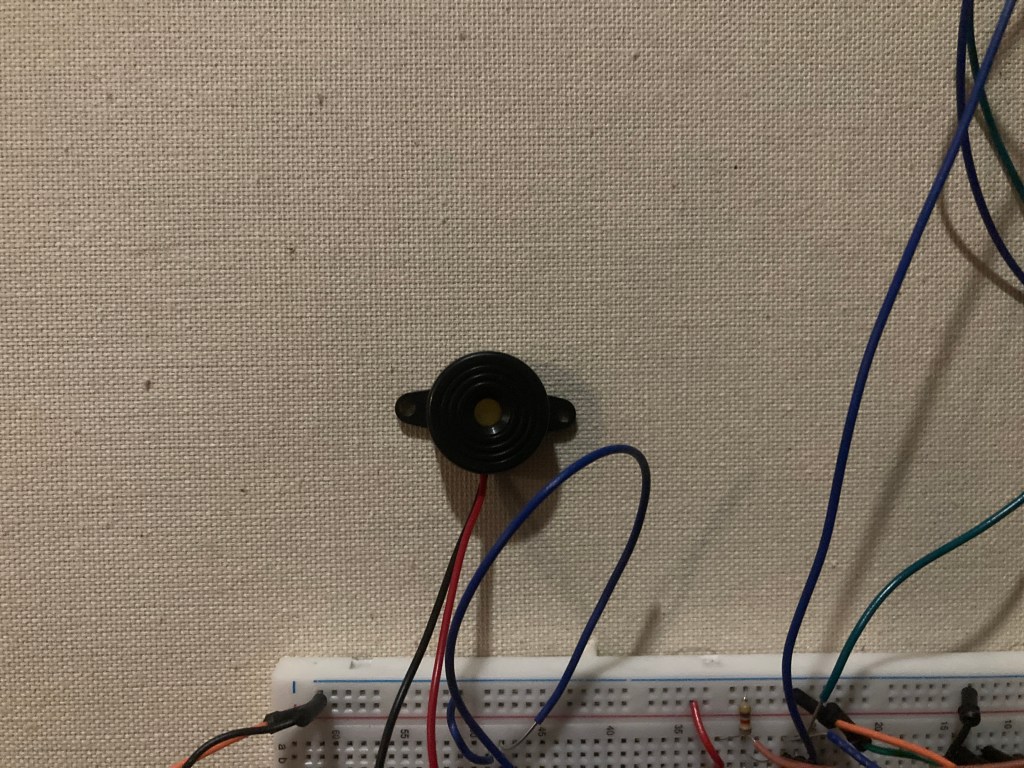
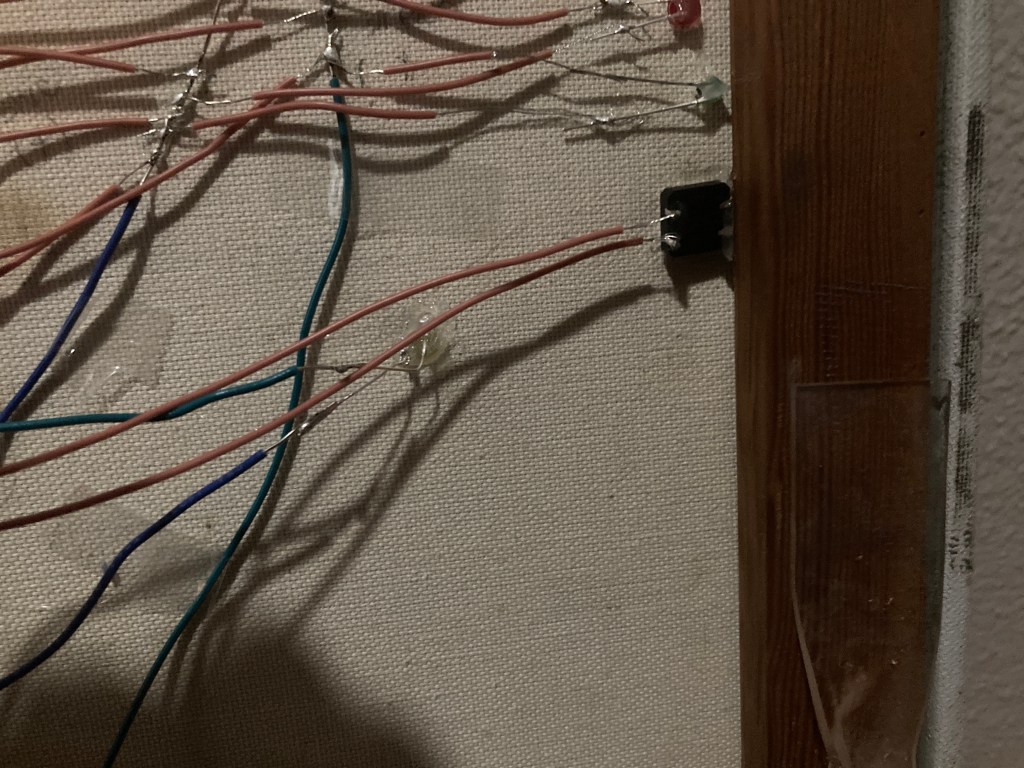
Over in the other corner of the painting, I added a servo and controlled it with a slide potentiometer, and added a paper wheel on top so it looked like the wheel was spinning when you would give it input.
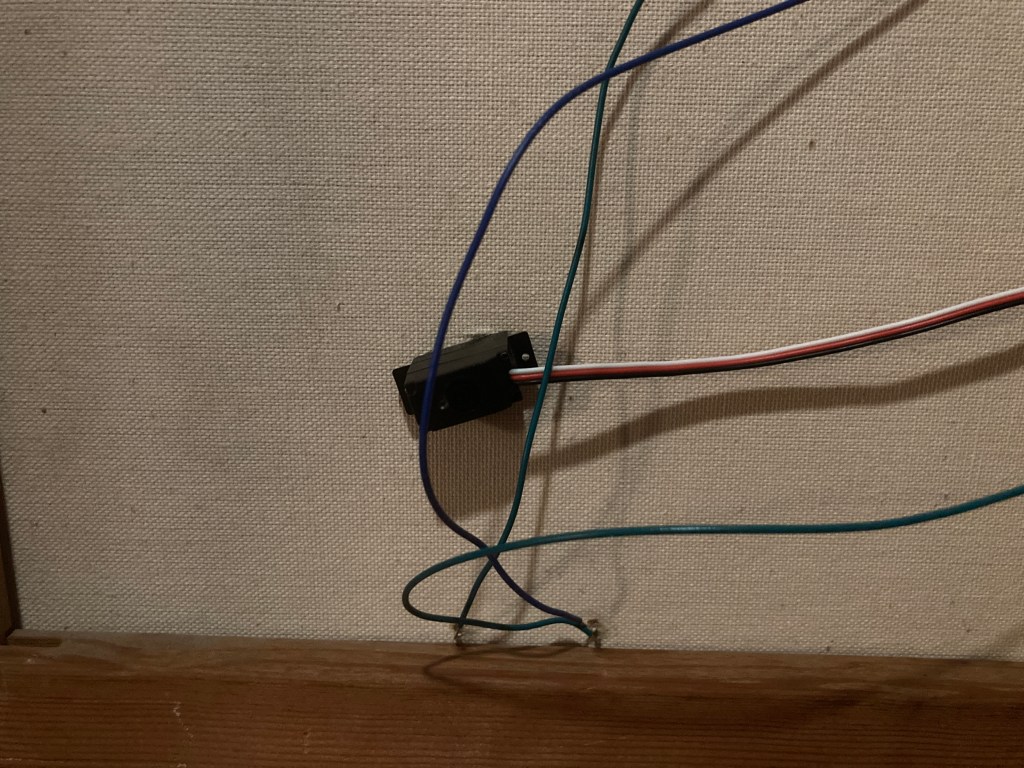
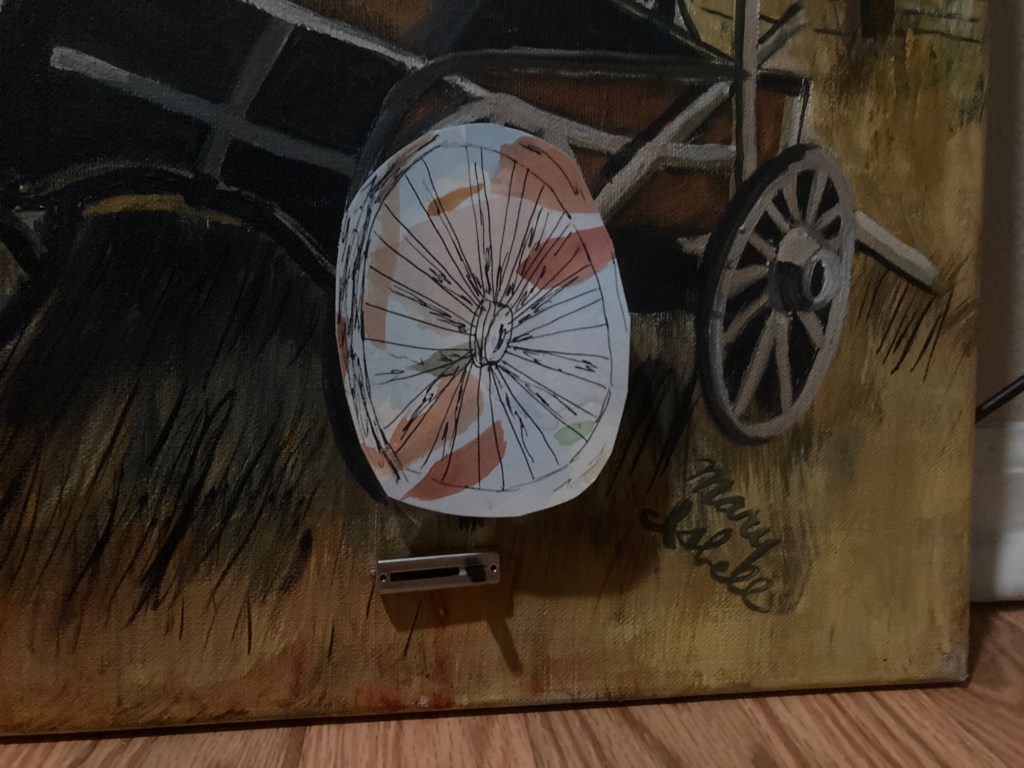
A big part of this project was trying to make everything look integrated into the painting, and a lot of that was putting the components on top of the painting before it poked holes through it to see if it would look right.
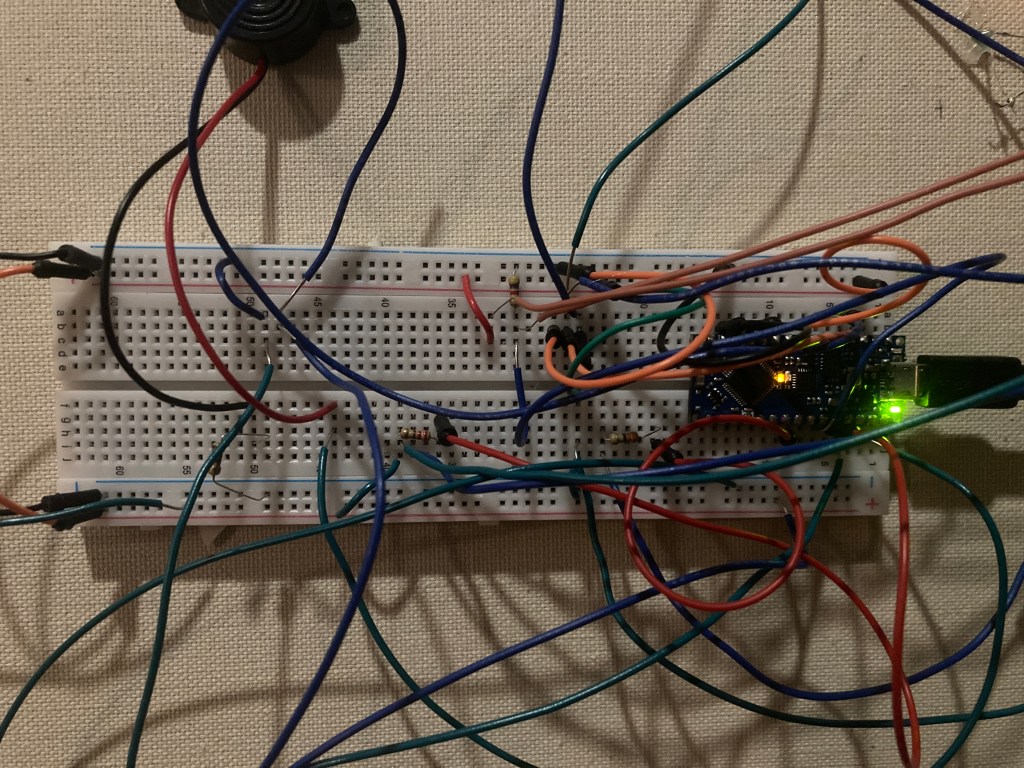
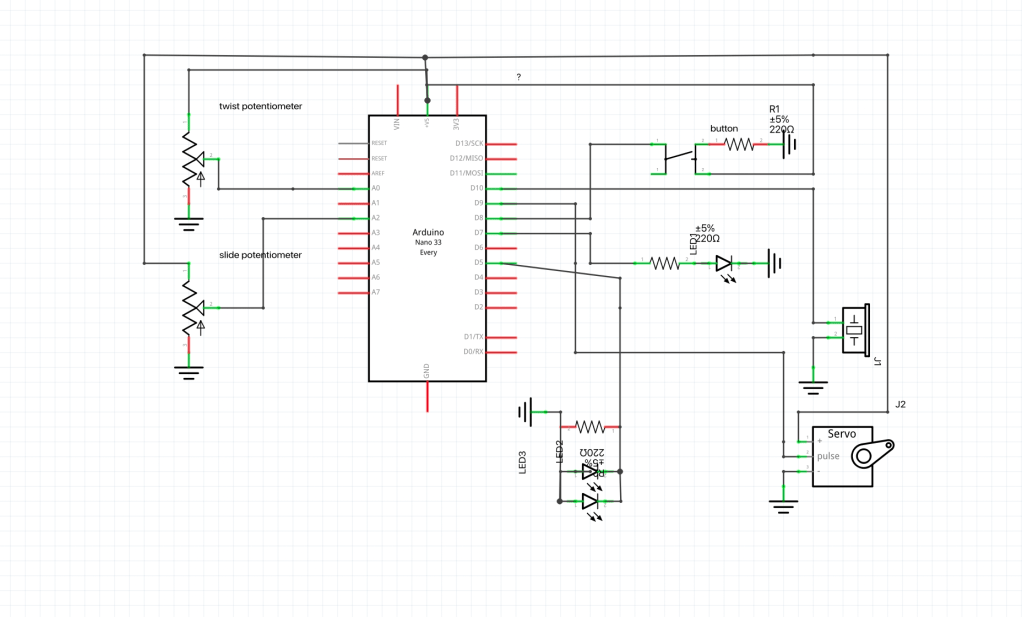
Code:
#include <Servo.h>

#define LED_PIN 8
#define BUTTON_PIN 7

#define NOTE_B0  31
#define NOTE_C1  33
#define NOTE_CS1 35
#define NOTE_D1  37
#define NOTE_DS1 39
#define NOTE_E1  41
#define NOTE_F1  44
#define NOTE_FS1 46
#define NOTE_G1  49
#define NOTE_GS1 52
#define NOTE_A1  55
#define NOTE_AS1 58
#define NOTE_B1  62
#define NOTE_C2  65
#define NOTE_CS2 69
#define NOTE_D2  73
#define NOTE_DS2 78
#define NOTE_E2  82
#define NOTE_F2  87
#define NOTE_FS2 93
#define NOTE_G2  98
#define NOTE_GS2 104
#define NOTE_A2  110
#define NOTE_AS2 117
#define NOTE_B2  123
#define NOTE_C3  131
#define NOTE_CS3 139
#define NOTE_D3  147
#define NOTE_DS3 156
#define NOTE_E3  165
#define NOTE_F3  175
#define NOTE_FS3 185
#define NOTE_G3  196
#define NOTE_GS3 208
#define NOTE_A3  220
#define NOTE_AS3 233
#define NOTE_B3  247
#define NOTE_C4  262
#define NOTE_CS4 277
#define NOTE_D4  294
#define NOTE_DS4 311
#define NOTE_E4  330
#define NOTE_F4  349
#define NOTE_FS4 370
#define NOTE_G4  392
#define NOTE_GS4 415
#define NOTE_A4  440
#define NOTE_AS4 466
#define NOTE_B4  494
#define NOTE_C5  523
#define NOTE_CS5 554
#define NOTE_D5  587
#define NOTE_DS5 622
#define NOTE_E5  659
#define NOTE_F5  698
#define NOTE_FS5 740
#define NOTE_G5  784
#define NOTE_GS5 831
#define NOTE_A5  880
#define NOTE_AS5 932
#define NOTE_B5  988
#define NOTE_C6  1047
#define NOTE_CS6 1109
#define NOTE_D6  1175
#define NOTE_DS6 1245
#define NOTE_E6  1319
#define NOTE_F6  1397
#define NOTE_FS6 1480
#define NOTE_G6  1568
#define NOTE_GS6 1661
#define NOTE_A6  1760
#define NOTE_AS6 1865
#define NOTE_B6  1976
#define NOTE_C7  2093
#define NOTE_CS7 2217
#define NOTE_D7  2349
#define NOTE_DS7 2489
#define NOTE_E7  2637
#define NOTE_F7  2794
#define NOTE_FS7 2960
#define NOTE_G7  3136
#define NOTE_GS7 3322
#define NOTE_A7  3520
#define NOTE_AS7 3729
#define NOTE_B7  3951
#define NOTE_C8  4186
#define NOTE_CS8 4435
#define NOTE_D8  4699
#define NOTE_DS8 4978
#define REST      0

Servo myServo;

int sensorPinPot = A0;
int analogValPot;
int sensorPinSlide = A2;
int analogValSlide;


// change this to make the song slower or faster
int tempo = 140;

// change this to whichever pin you want to use
int buzzer = 10;

// notes of the melody followed by the duration.
// a 4 means a quarter note, 8 an eighteenth , 16 sixteenth, so on
// !!negative numbers are used to represent dotted notes,
// so -4 means a dotted quarter note, that is, a quarter plus an eighteenth!!
int melody[] = {
  NOTE_C5,4, //1
  NOTE_F5,4, NOTE_F5,8, NOTE_G5,8, NOTE_F5,8, NOTE_E5,8,
  NOTE_D5,4, NOTE_D5,4, NOTE_D5,4,
  NOTE_G5,4, NOTE_G5,8, NOTE_A5,8, NOTE_G5,8, NOTE_F5,8,
  NOTE_E5,4, NOTE_C5,4, NOTE_C5,4,
  NOTE_A5,4, NOTE_A5,8, NOTE_AS5,8, NOTE_A5,8, NOTE_G5,8,
  NOTE_F5,4, NOTE_D5,4, NOTE_C5,8, NOTE_C5,8,
  NOTE_D5,4, NOTE_G5,4, NOTE_E5,4,
};

// sizeof gives the number of bytes, each int value is composed of two bytes (16 bits)
// there are two values per note (pitch and duration), so for each note there are four bytes
int notes = sizeof(melody) / sizeof(melody[0]) / 2;

// this calculates the duration of a whole note in ms
int wholenote = (60000 * 4) / tempo;

int divider = 0, noteDuration = 0;


void setup() {
  Serial.begin(9600);
  pinMode(LED_PIN, OUTPUT);
  pinMode(BUTTON_PIN, INPUT);
  myServo.attach(9);

}

void loop() {
  analogValPot = analogRead(sensorPinPot);
  analogValSlide = analogRead(sensorPinSlide);
  int angle = map(analogValSlide, 0, 1023, 0, 180);
  myServo.write(angle);
  delay(20);

  int mapValPot = map(analogValPot, 0, 1023, 0, 255);
  // Serial.println(analogValSlide);
  Serial.println(mapValPot);
  analogWrite(5, mapValPot);
  // Serial.println(digitalRead(BUTTON_PIN));

  if(digitalRead(BUTTON_PIN) == HIGH) {
    digitalWrite(LED_PIN, HIGH);

    for (int thisNote = 0; thisNote < notes * 2; thisNote = thisNote + 2) {

    // calculates the duration of each note
    divider = melody[thisNote + 1];
    if (divider > 0) {
      // regular note, just proceed
      noteDuration = (wholenote) / divider;
    } else if (divider < 0) {
      // dotted notes are represented with negative durations!!
      noteDuration = (wholenote) / abs(divider);
      noteDuration *= 1.5; // increases the duration in half for dotted notes
    }

    // we only play the note for 90% of the duration, leaving 10% as a pause
    tone(buzzer, melody[thisNote], noteDuration * 0.9);

    // Wait for the specief duration before playing the next note.
    delay(noteDuration);

    // stop the waveform generation before the next note.
    noTone(buzzer);
  }
  }
  else {
    digitalWrite(LED_PIN, LOW);
    noTone(buzzer);
  }

}
Demo video:
 Emmy Kovalic
Leave a comment